Showing posts with label SBF. Show all posts

Friday, June 18, 2010

Has Microsoft Marketing Already Entirely Forgotten My Dear Microsoft Small Business Financials?


It appears that the marketing department at Microsoft has already forgotten which product used to go by the acronym "SBF" at Microsoft. Checkout the new offer to upgrade Microsoft Small Business "Framework" data to GP for $1000.

It's hard not to be miffed that my dear product, Microsoft Small Business Financials, is already dead, buried and forgotten by Microsoft! ;-)

Partners can check out this gaffe at:
https://mbs.microsoft.com/Cms/Templates/document/General.aspx?NRMODE=Published&NRNODEGUID=%7bECDA6FD9-01E3-4BE0-98C4-EE2DB9255981%7d&NRORIGINALURL=%2fpartnersource%2fsales%2fpromotions%2fmsdgp2010sbfwmigrate%2ehtm%3fp%3d8&NRCACHEHINT=Guest&p=8

For those of you who don't know it--I was introduced to Dynamics GP through our company supporting a LOT of clients using Microsoft Small Business Financials--so that is why it is so "dear" to my heart. ;-) In fact Landis Computer recieved an award (2 Zunes ;-) for doing more SBF moves than any other partner! ;-)

http://dynamicssmallbusiness.blogspot.com/2009/08/landis-computer-microsoft-dynamics.html

So, if you are still using Microsoft Small Business Financials--call the experts who know small business and can make the move from Microsoft Small Business Frame--ah--rrr Financials...as smooth and fun as possible.

Wednesday, March 03, 2010

Remember: Microsoft Small Business Financials Will End Jan 11, 2011--Upgrade to Dynamics GP Now for 75% Off

After having been, perhaps, the largest promoter of Microsoft Small Business Financials, it is with just a twinge of bittersweet to remind you that Microsoft SBF will be discontinued on Jan 11, 2011. No more product updates, payroll updates, the End.

The opportunity in this is that Microsoft is offering 75% Off of Dynamics GP to all Microsoft Small Business Financials (SBF) users:
http://dynamicssmallbusiness.blogspot.com/2010/01/get-microsoft-dynamics-gp-for-75-off-is.html

We have found clients that are a good fit for SBF typically see quite a bit of value moving up to Dynamics GP. So if you are a current SBF user definitely consider this opportunity to move to GP for a very low investment.

You can talk to us by emailing sales@landiscomputer.com or during normal business hours you can LiveChat (top right of our blog) questions about this.

With Partnersource or Customersource login read more here.

Wednesday, January 20, 2010

Microsoft Dynamics ERP Gets In-Depth OCS Integration

Forward looking communication professionals have been asking why phone handsets are an “island by themselves” for quite a while. Microsoft has taken a huge step in making your communication system (formerly known as a phone system—but that terminology is getting outdated) an integral part of your business management solution. Visionary professionals in the communication industry say this merging will have transformational possibilities in organizations—and I am seeing this first hand.

Microsoft Dynamics GP 2010 will start the first wave of these transformational communication possibilities. Let’s give some scenarios to highlight the power of this merging of technologies:

What if you were the purchasing person at your company, you are looking at a sales order that has an item on it you need to special order. You have a quick yes or no question for the salesman that made the sales order (but he’s not in the office!)—so you right click on the salesman’s OCS button (right inside GP) and he instantly gets your Instant Message on his mobile device (Windows mobile or nearly any other device) and answers you “Yes, I need that ASAP.”

What if you are the companywide service advisor in your company. A lead tech at another location emails you and says he has a question about service request #10500. You pull up the service request and immediately see the Part he needs to replace has some tricky things about it and you want to SHOW him how to do the repair. You grab the part and directly from Dynamics GP you can start a Hi-Resolution video call with the tech and show him how to do it…(Enterprise video cam=$99 street price)

How about initiate a call to a warehouse phone handset to check on inventory? Initiate a multi-person video conference?

This is just the start of powerful integration of communication and business management software…

Thursday, January 14, 2010

Timeclock That Tightly Integrates to Microsoft Dynamics GP

We have just dumped our aging MS Access-based time clock software in favor of Time Matrix Time Clock solution for Microsoft Dynamics GP. This solution integrates seamlessly with Microsoft Dynamics GP (using the same SQL database). The entire setup took only about 2 hours (we have 11 employees) and was painless. This allows us to have all our punch time calculated automatically and dropped right into GP payroll. It also eliminates another application and database that needs to be backed up, maintained and updated.

http://www.business-computers.com/
If you need a Time Clock solution for Dynamics GP, let us know. We can help.

Wednesday, January 13, 2010

20-30% of New GP Customers Are Users Migrating Away from Quickbooks

Rich Miller, in the GP 2010 Launch webinar today, noted that 20-30% of new Microsoft Dynamics GP customers are people that have out grown Quickbooks. Wow! I didn’t realize the number was that high!

We have specialized in small Microsoft Dynamics GP clients and have migrated clients from Peachtree, Quickbooks, Small Business Financials and other low-end products. Microsoft has a Quickbooks -> GP migration tool to take your QB data and put it into GP so you can hit the ground running. No need to re-type all that information!

If you need help with this process you can call, sales@landiscomputer.com or click our "Live Chat" button to the right and top. -->

Microsoft Dynamics GP 2010 Launch is "to be Biggest Microsoft Dynamics Launch to Date"

Just sat in a Microsoft Dynamics GP 2010 launch meeting hosted by Rich Miller, Errol Shoenfish and others. I understand there were approx. 800 attendees and there was quite a bit of interesting content. Rich Miller noted that “GP 2010 will be the biggest Microsoft Dynamics launch in our history to date…” cementing the importance of Dynamics GP in the Microsoft stable of ERP solutions.

Errol noted that 100,000 hours of programming went into the Dynamics GP 2010 upgrade! So Microsoft is investing heavily in GP 2010. Some technical features that will be in GP 2010 is “graphs and charts that allow drilling the whole way down to the transaction that created it.” Errol noted that while others have graphs, in many cases you must lookup the transaction elsewhere.

I was very happy to hear that Microsoft Office Communication server will be tightly integrated into GP leveraging communication system and ERP solution. Being a huge proponent of Microsoft Windows-based communication systems (see my blog) this has business transformational possibilities that will be disruptive and put MS Dynamics in a class of it’s own. (The question I ask a business descision maker: Why is your phone handset an island? Why when it is so key to your survival is it so seperated from your business management solution?)

There are many other features and functionality added to GP and we will keep posting them as they become available.

Tuesday, January 12, 2010

Get Microsoft Dynamics GP for 75% Off if You Own Microsoft Office Accounting or Microsoft Small Business Financials!

If you did not take the Microsoft Small Business Financials 90% off offer and now are having “Didn’t take the deal remorse” you now have another chance to get to Microsoft Dynamics GP at a great (no incredible) discount of 75% off. This new offer also includes owners of Microsoft Office Accounting can also move to Dynamics GP for 75% off.

This 75% off offer is good for these products:
-Microsoft Small Business Financials
-Great Plains Accounting (aka GPA)
-Real-World Accounting

You can get up to 10 users for 75% off. To get all the details pop an email to our salesman Wendell Martin at sales@landiscomputer.com. Or chat immediately via the Live Chat icon on the right top of this blog!

Here is the Microsoft Link: (Only for Partners)https://mbs.microsoft.com/partnersource/sales/promotions/h110_erplicenseoffer.htm?printpage=false&stext=leap%20ahead
https://mbs.microsoft.com/partnersource/sales/promotions/fy10h2_welcomeerpoffer.htm?printpage=false

Friday, December 04, 2009

Remembering Our Accounting Software Research

I’ve been doing some yearend house cleaning in my office and came across the stash of research we did when we selected an accounting solution that Landis Computer would represent. I am amazed at the breadth of products we looked at! As I reminisced and flipped through the old marketing material I clipped some of the logos in the included picture. As I look back I sure am glad we ended up with Dynamics GP! (formerly known as Great Plains and I think the product was called C/S+ the first time we looked at it in 1996)

Some of the products in the list don’t even exist anymore! Like AVAST Accounting. (At least I can't find it) I didn’t list those in our path of research we actually sold and supported: Like Microsoft Profit (low end accounting), Image Accounting, Armor Systems and others. When I compare some of those other systems to GP I am…thankful. Happy belated Thanksgiving!

Friday, October 23, 2009

Free Dynamics GP Addon Enhances Customer Maintenance Window

We have just released a new add on for Dynamics GP that will add some exciting new features to the GP Customer Maintenance window! We've added a "Goto" button to the Customer Maintenance window that will allow you to see Payment Summary, Sales Order transactions, Aging information and more, directly from the customer maintenance window!

from Dynamics GP

The features of this free addon for Dynamics GP:

-A "Goto" button is added to the customer maintenance window
-The email address is added directly to the customer maintenance window
-The ability to "click-to-email" is added to the window
-The address ID automatically is filled with "PRIMARY" when adding a new record.

To get this free addon please click here.
(this will sign you up for our GP free addons newsletter and email you the link, but you can just unsubscribe with one click if you don't want it!)

Detailed instructions on how to install this addon click here.

Wednesday, August 19, 2009

How To Install Dynamics GP VBA Addon

We've released several free VBA addons for Dynamics GP ( click to email & email on customer maintenance addons). We've had several people ask us to show them how to install a VBA addon that modifies a screen or report. Here are the steps:

#1-Login to GP as SA.

#2-Click on Microsoft Dynamics GP > Tools > Customize > Customization Maintenance and import the package file we provided.

#3- Now we need to tell GP to use the modified version of the form. To do that:
Click MS Dynamics GP > Tools > Setup > System > Alternate Modified Forms and Reports.


Now you will see the Alternate/Modified Forms and Reports window. Select the ID, then set Product to "Microsoft Dynamics GP", type to "Windows" and then in the list check that you want to use the alternate window as show. Click "Save" and you should be done.


#4 - Now you should be able to open the modified window and it should be the new one.

Note: If the VBA code includes a "shell command" you may need to do one last thing. If when you open the window you get the below error, just delete the "()" at the bottom of the code, click "Save" and continue.


If you need any additional help we are glad to help at our very reasonable consulting rates.

Thanks for using our free Dynamics GP add ons!

Wednesday, August 12, 2009

Dynamics GP as PSA Software? New Competition for Connectwise, Autotask and TigerPaw?

We have enhanced Dynamics GP Field Service to provide PSA functionality for IT companies.
Take a look at our quick video.


We use built-in Dynamics GP Field Service but extend it using the (free) GP Webservices connected GP Time Tracker module. Adding time to a GP Field Service call is 2 clicks! Wow! Use it inside and outside your network via webservices!

Since Dynamics GP Field Service module is tightly integrated there is no messy inventory, customer and invoicing syncing issues to deal with.

Affordable. Integrated.
Let me know what you think.

Tuesday, August 04, 2009

Landis Computer: Microsoft Dynamics Partner with Most SBF to GP Migrations in FY2009

We were astonished to recieve a notice from Dynamics GP product mangager, Andy Westby, that Landis Computer had done more MS SBF to Dynamics GP moves than any other Microsoft Partner in the world! Japheth and Wendell show off some of the "awards": Microsoft Zunes.


But we are not satisfied with just pushing the most product out there. Our goal is to make Dynamics GP make our client's businesses more effecient. One way we are helping our clients beyond just getting product out is by our monthly Dynamics GP Newletter. If you want to subscribe to it just click here.

Thanks to each of our clients that made this a great year! We want to keep serving you.

Monday, July 06, 2009

What is the difference between Dynamics GP, AX, NAV, & SL? Microsoft Partners Duke it out

A question that comes up quite often is "What is the difference between all the Dynamics Accounting packages". In the below linked in discussion partners and consultants from all four give their comments. (Some balanced. Some not?;-)

http://www.linkedin.com/groupAnswers?viewQuestionAndAnswers=&gid=41656&discussionID=4323674&split_page=1

Thursday, July 02, 2009

Want To Test Drive Dynamics GP Right Now?

You can! Just click the link below and your off!

www.dynamicsgptestdrive.com

Thursday, June 25, 2009

Dynamics CRM to Dynamics GP Integration is HERE!

A two way integration between Dynamics GP and CRM has finally arrived in BETA form! To CRM and GP partners this is an exciting announcement. See more at:

http://blogs.msdn.com/dynamicsgp/archive/2009/06/23/microsoft-dynamics-crm-4-0-beta-adapter-for-microsoft-dynamics-gp-integration-demomate-now-available.aspx

Friday, June 19, 2009

Dynamics GP: How To Easily Create a Test Company? WillowWare Helps Out.

We were just talking the other day how to easily create a sample/test/demo company from a live company. Our other requirement was the ability to refresh the sample company. Doing it with SQL scripts isn't totally a no brainer...but I did run across a product from willowware.com that seems to do just what we wanted!


How to Upgrade SBF to GP Documents

Having difficulty finding how to upgrade or step up SBF to GP? Here is the link:
https://mbs.microsoft.com/partnersource/downloads/migrationtools/sbf90togp90.htm?printpage=false

You will need Partnersource access.

Friday, June 05, 2009

Dynamics GP Field Service as PSA Software Set to Save IT Service Company 624 Hours a Year

We are implementing Dynamics GP Field Service as a PSA (Professional Services Automation) solution for our own IT service company. We reviewed ConnectWise, Autotask, TigerPaw & Dynamics GP with Field Service. We realized the only way to get a completely integrated system (sales, inventory, financials and service management) was with GP Field Service.

The previous system consisted of a web based time tracking system and ERP. There was no link between them so all invoices were retyped into ERP. Customer information needed to be cut and pasted into the time tracking/service request system from the ERP. A Outlook appointment needed to be manually entered. So the service manager spent quite a bit of time flipping between ERP, Time tracking system and Outlook for a new service request. The whole service request entry time was approx. 5 minutes.

With Dynamics GP Field Service and a GP Field Service tech module the process has been greatly streamlined. Adding service requests requires having only Dynamics GP open. We added a button to automatically generate an Outlook appointment for the service call. GP Field Service has the ability (built-in) to SMS the tech when a new call comes in. The service manager now spends approx 1 minute or less adding new service calls.

For the technician entering time into GP Field Service there have been been improvements too. We were not quite satisfied with the effeciency of Field Services Anywhere module included with GP so we wrote a small application that techs use to enter time into GP Field Service via GP Web Services. The tech literally has only 3 clicks to start the timer on a service call. One click selects which service call, one to press the START button and one to click into the "description of work" field. As soon as the service call is clicked the tech can see the problem, customer name, contact, address, big note and phone number. Since we are IP phone experts we have a button to dial the client's phone number using the tech desk phone. There is a button to run a SQL reporting services report that shows the tech their own utilization for the day. I would expect this interface will save several minutes per call but won't figure this in my equation.

Immediate Time Savings in One Week:

Service Manager
89 Service Calls were setup. The prior system required approx. 5 minutes to setup a service call. In Dynamics GP Field Service we are seeing times of 30sec. to a minute.
Old: 89 * 5min. = 7.41 hours
New: 89 * 1min. = 1.48 hours for a savings of 5.93 hours per week for the Service Manager.

Invoice Entry Person
The normal time to create invoice weekly was approximately a day. Due to a Navigation List bug (and yes it's a bug...I'm being really honest here ;-) we tested doing the weekly invoices a little early. (ahem) It takes minutes to do what used to be a day job. But I'm going to say 2 hours to allow for printing and putting in the mail.
Old: 8 Hours
New: 2 Hours for a savings of 6.00 hours per week for Invoice Entry.

If my figuring is correct that is about 624 hours a year.

I'd like to show some of the management reports (using SRS) we have but I guess that should be another post.

Thursday, April 30, 2009

More Benefits of Dynamics GP Navigation Lists...

At our company we use what we recommend (eat our dogfood? ;-) and I just stumbled on yet another wonderful use for Navigation Lists in GP.

#1-A colleague was in a quote, I got the "another user is editing this doc" msg and I thot, "thats a pain now I need to wait to see that thing". But hey, no! I can use the GP Navigation List Preview window and see just about everything (if not more) than i can on SOP window. And in fact the preview is RIGHT in front of me right now!

#2-Then another benefit popped out at me. Did you ever want to just copy and paste a bunch of lines out of a sales order into an email or somewhere? On the Navigation List Preview its a cinch. Or copy the whole address of the customer...or copy the WHOLE thing. Pretty neat.

Just another reason to run out there and start using GP Navigation Lists.

ps-Yeah, I know I could have used a SOP inquiry window...but its not nearly so easy. And remember: We're after EASE of USE. ;-)

Monday, April 27, 2009

Making Dynamics GP Easier to Use: Some Tips Your GP Partner Might Not Tell You

We work with clients, users, and business owners who have become used to the world of "Quickbooks". This is likely because for the last 4 years we have been promoting, supporting and sweating over the $400 per user little brother of Dynamics GP--Microsoft Small Business Financials. (Or maybe it is because nearly every small business in the USA has or had Quickbooks? ;-) In any event the expectations surrounding ease of use in accounting software has been forever changed by the presence of Quickbooks.

So if you are a Dynamics GP user and feel it's too hard to use the good news is--Microsoft is "getting" it! (even if some of us partners are not! ;-) What are some of the areas that Microsoft is making big progress on in the area of ease of use?

-Finding Stuff (like customers, sales docs and more)
-Reports (drill downs, splashy graphics, fancy charts, zooms to details...)
-Importing Stuff

In this blog post about making GP easier to use I'm going to focus on Finding Stuff.

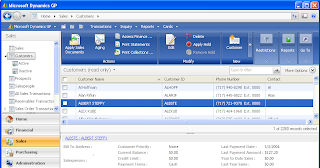
We just had a client who moved from Microsoft Small Business Financials to Dynamics GP. They had been on GP for about a month so I called them to see how things were going. I got the dreaded pause...(meaning a good client hates to say something bad...) but soon the truth tumbled out: Dynamics GP seemed harder to use than SBF. Ahem. We drilled into what was harder to use and it turned out that "Finding Stuff" was the culprit. I asked "Are you using Dynamics GP Navigation Lists"? The answer was no.

#1 Use Navigation Lists

Navigation Lists is a relatively new feature in GP. Many partners and users haven't gotten onto using them yet. But for making GP easier to use (in my opinion) they are a big step forward.

Why?
-Finding Customers, Vendor, Sales Documents is as easy as using Google.
-The 3 click rule applies: Anything that can be done to a record can be done in 3 clicks.
-You can preview, say a sales order, without even opening it!
-You select multiple records and do an action on them: like print or post.
-Assign a hot key Navigation List-Now your favorite lookup is one key away.
-Tweak the Action Panel to have the actions you use up front.
-And a lot more.


If you think GP is hard to use and you are not using GP Navigation Lists...beg, drag, coerce your GP Partner into showing you how to use them. Or just start using them.

#2 Take a look at the Smartfill Addon By Rockton Software.

http://www.rocktonsoftware.com/products.aspx?p=5

What if you were on a sales order and could type anything you knew about a customer instead of needing to know the Customer Id? What if you could type anything you know about an inventory item to add it to the sales order line item? Same goes for vendor id's, general ledger id's...And this work ANYWHERE you use an id. That is why we make Smartfill a mandatory add on for each GP implementation we do.

Okay, so much for the first part of making Dynamics GP Easier to Use. More to come.

making dynamics GP easier to use, dynamics gp ease of use
http://blogs.msdn.com/gp/archive/2009/04/27/all-about-rapid.aspx